Acronis Backup agent fails with the error below:
When I check the ALMA Linux control panel I found that DKMS is not recognised as a commnad.
Although the Kernel version is correct I suspect DKMS tools are not enabled. Is there a way safely enabling the DKMS so that Acronis backup agent compiles the required SNAPAPI26 kernel module?
error - failed to install the ‘snapapi26’ kernel module
Now everthing works great except the build in src/modules/5.14.0-362.8.1.el9_3.x86_64
Has a symbolic link as below which is broken.
The installation will not go through due to wrong kernel version
uname -r gives you the version of the running kernel. DNF updates the installed kernel, but the host isn’t running the new kernel until you reboot. Can you reboot?
That suggests that your grubby --default-kernel remains /boot/boot/vmlinuz-5.14.0-362.8.1.el9_3.x86_64 (/boot/boot/ though? I wonder what that’s about). Did you override the boot default at some point in the past, so that now it’s not being updated when you install a new kernel?
When the kernel did update, previously, were there errors during the update? What’s rpm -qa kernel\* | sort look like?
Thanks
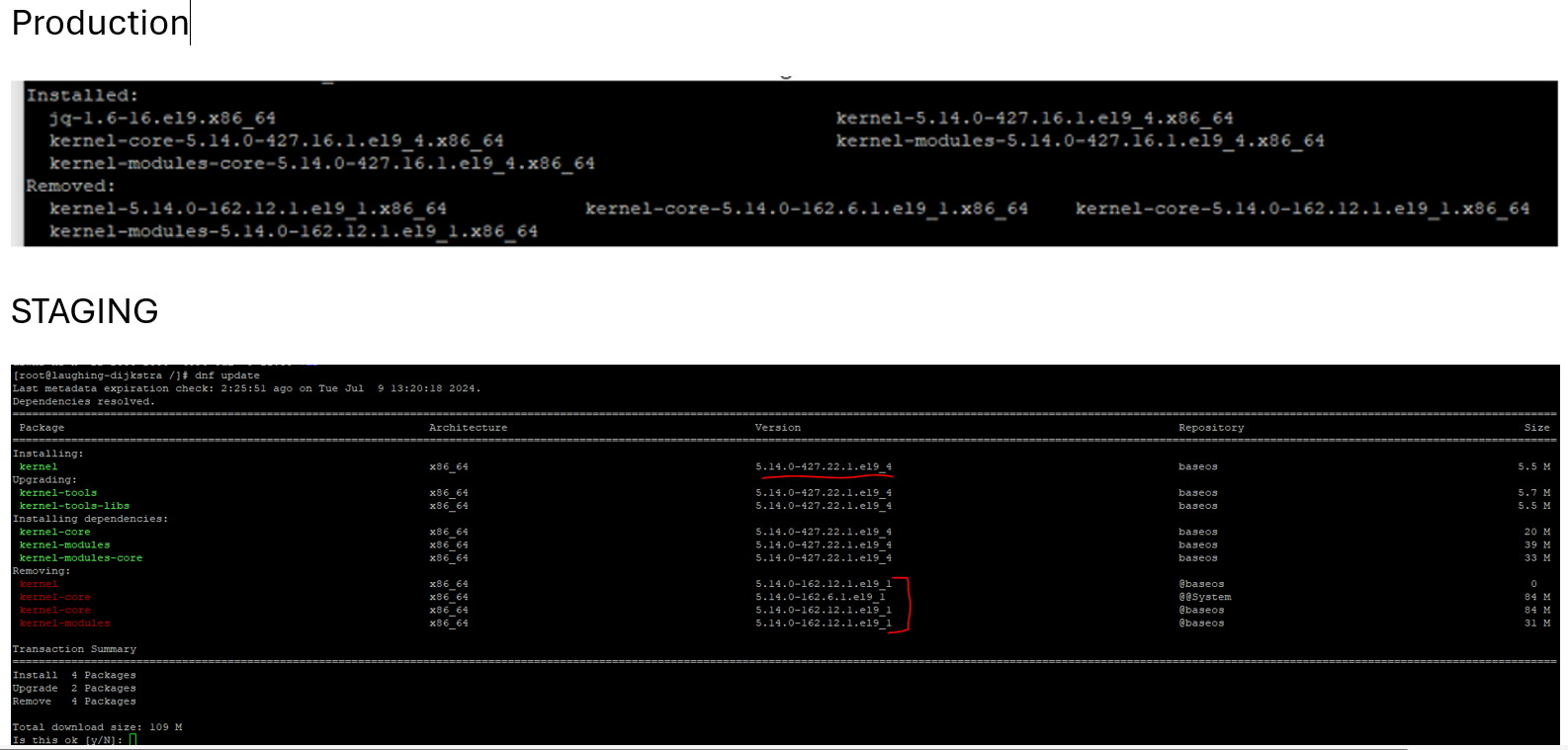
I have created the same environment in a staging server to test and understand what the issue is here.
The main production server has the below upadate at the time
With completion successful on 21 st May 2024
The staging server with the same setup Successfully Updated on 9th of July 2024:
Final checks after reboot confirm nothing to do and both servers are running good
The blog does not allow me to put more than one image. So I put them all in one below. Let me know if anythign is NOT clear:
On the production server:
[root@amd /]# rpm -qa kernel* | sort
kernel-5.14.0-284.30.1.el9_2.x86_64
kernel-5.14.0-362.8.1.el9_3.x86_64
kernel-5.14.0-427.16.1.el9_4.x86_64
kernel-core-5.14.0-284.30.1.el9_2.x86_64
kernel-core-5.14.0-362.8.1.el9_3.x86_64
kernel-core-5.14.0-427.16.1.el9_4.x86_64
kernel-headers-5.14.0-427.16.1.el9_4.x86_64
kernel-modules-5.14.0-284.30.1.el9_2.x86_64
kernel-modules-5.14.0-362.8.1.el9_3.x86_64
kernel-modules-5.14.0-427.16.1.el9_4.x86_64
kernel-modules-core-5.14.0-284.30.1.el9_2.x86_64
kernel-modules-core-5.14.0-362.8.1.el9_3.x86_64
kernel-modules-core-5.14.0-427.16.1.el9_4.x86_64
kernel-srpm-macros-1.0-13.el9.noarch
kernel-tools-5.14.0-427.16.1.el9_4.x86_64
kernel-tools-libs-5.14.0-427.16.1.el9_4.x86_64
kernelcare-2.88-1.el9.x86_64
uname -sr
ON Staging Server:
Linux 5.14.0-362.8.1.el9_3.x86_64
ON Production Server:
Linux 5.14.0-362.8.1.el9_3.x86_64
indacates there is an issue with the uname or the actula kernel. I am not sure what the problem here is.
Can you confirm your grubby --default-kernel? I’m skeptical that there’s a problem with uname (unless that kernelcare package is doing it) and think it’s more likely that you just keep booting into the old kernel.
I could just say if grubby --default-kernel is 5.14.0-362.8.1.el9_3.x86_64, well
but on principle, if you don’t know why you would need to do that, the problem hasn’t actually been solved. Do you have anything weird in /etc/default/grub?
Thanks for your help really appriciate your guidence.
The servers running absolutely great at he moment. I have had a look at the kernel care on both server it is showing as below which seems healty. The kernel is patched upto the latest version. Real Kernel Version
5.14.0-362.8.1.el9_3.x86_64 Effective Kernel Version
5.14.0-427.22.1.el9_4
Regarding the issue that led me to this forum. I found a work around. It involves manually restoring the missing kernel folder to usr/src/kernels/5.14.0-362.8.1.el9_3.x86_64 and Re-Installing the backup agent.
I have full serverback up and running now
Thanks ever so much in taking the time to help