AlmaLinux 10.1: Problems with installing NVIDIA GeForce RTX driver

My GPU: NVIDIA GeForce RTX 3070 Laptop GPU

The situation without driver:

The brightness control for the laptop screen wasn’t working and the screen was locked to 60hz, while normally capable of 165hz.

Then I found this:

I did as follows:

sudo dnf install almalinux-release-nvidia-driver

sudo dnf install nvidia-open-kmod nvidia-driver

And then rebooted

Unfortunately what I got was an extremely choppy refresh rate, also locked in the settings.
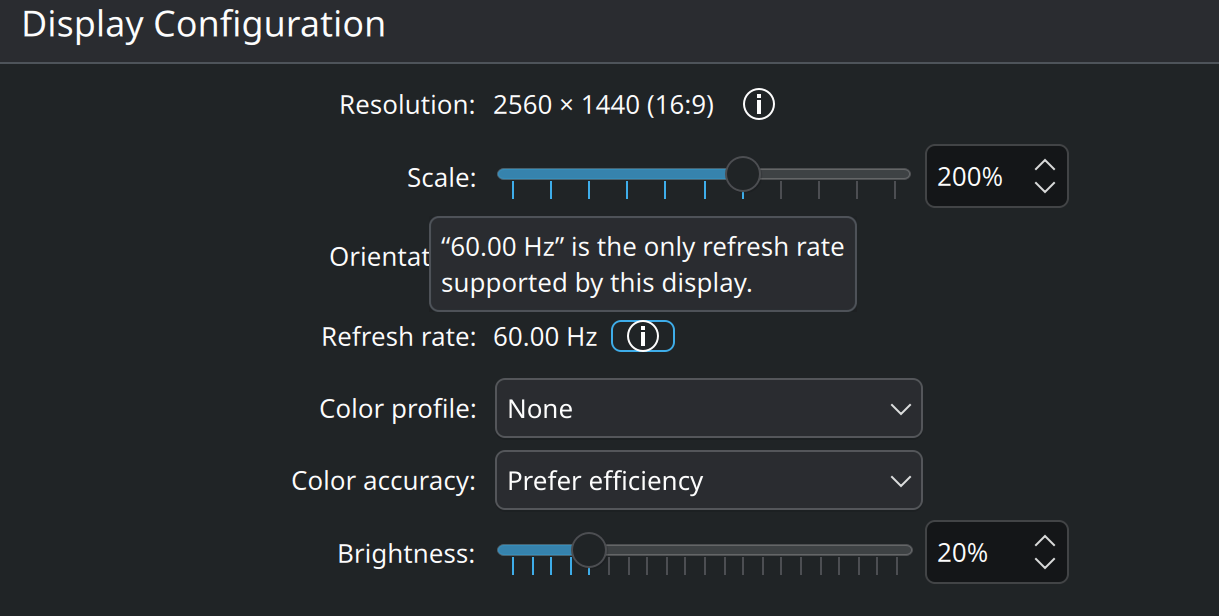
Although the driver is recognized in ‘‘About my System’’ and my brightness seems to be working. Is this a Wayland thing? I’ve tried setting the SDDM display manager to use x11 but then my laptop hung on the startup console without feedback for at least a minute before I lost patience and reverted back to Wayland using TTY and rebooted.

This was on the debug screen:

(I typed this over so I don’t have to send a blurry screenshot):

ACPI BIOS Error (bug): Could not resolve symbol [\_SB.PCI0.PB2], AE_NOT_FOUND (20240027/dswload2-162)

ACPI Error: AE_NOT_FOUND, During name lookup/catalog (20240027/psobject-220)

Integrity: Problem loading X.509 certificate -65

(then a couple of warnings for “Unmaintained driver is detected”:

cnic

cnic_init

bnx2i

bnx2i_mod_init

[drm:nv_drm_dev_load [nvidia_drm]] *ERROR* [nvidia-drm] [GPU ID 0x00000100] Failed to allocate NvKmsKapiDevice

KDE’s About this System: before

Operating System: AlmaLinux 10.1
KDE Plasma Version: 6.4.5
KDE Frameworks Version: 6.18.0
Qt Version: 6.9.1
Kernel Version: 6.12.0-124.20.1.el10_1.x86_64 (64-bit)
Graphics Platform: Wayland
Processors: 16 × AMD Ryzen 7 5800H with Radeon Graphics
Memory: 16 GiB of RAM (15.2 GiB usable)
Graphics Processor: llvmpipe
Manufacturer: LENOVO
Product Name: 82JU
System Version: Legion 5 15ACH6H

KDE’s About this System: after

Operating System: AlmaLinux 10.1
KDE Plasma Version: 6.4.5
KDE Frameworks Version: 6.18.0
Qt Version: 6.9.1
Kernel Version: 6.12.0-124.20.1.el10_1.x86_64 (64-bit)
Graphics Platform: Wayland
Processors: 16 × AMD Ryzen 7 5800H with Radeon Graphics
Memory: 16 GiB of RAM (15.2 GiB usable)
Graphics Processor: NVIDIA GeForce RTX 3070 Laptop GPU
Manufacturer: LENOVO
Product Name: 82JU
System Version: Legion 5 15ACH6H

nvidia-smi output (after):
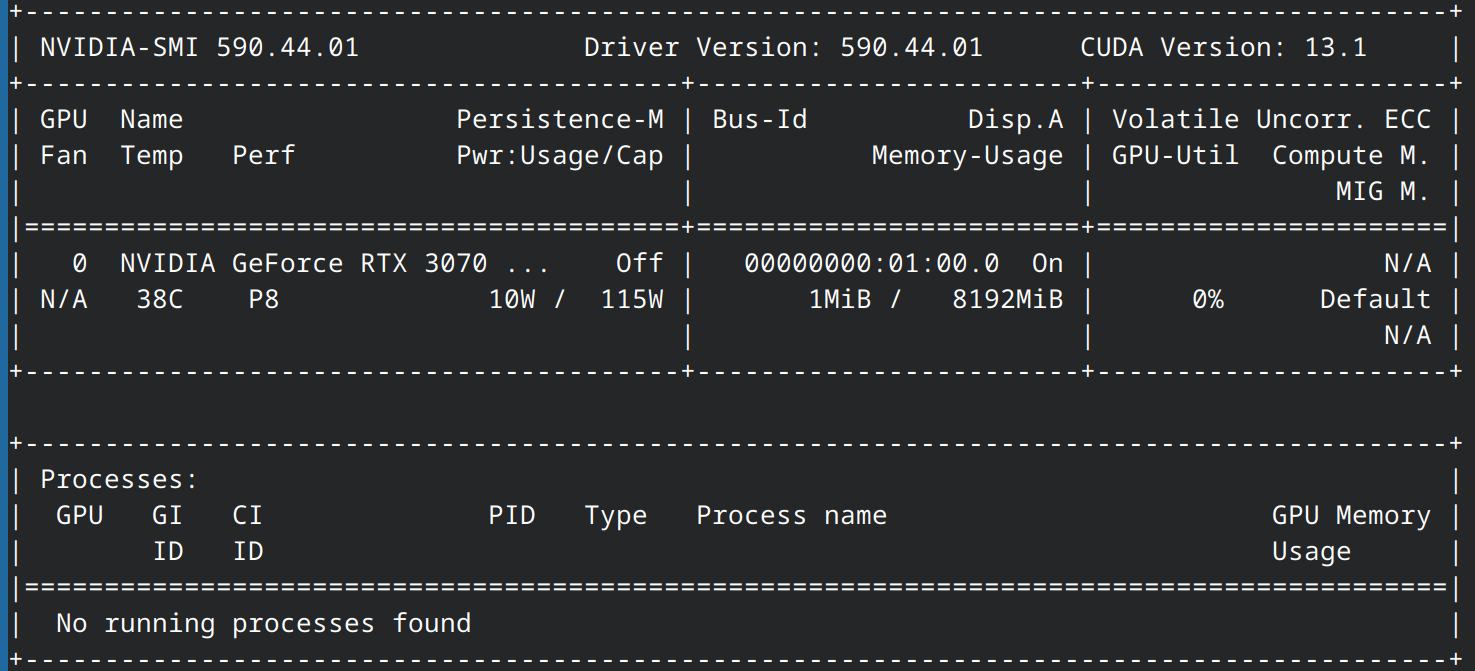
Any help is highly appreciated! : )
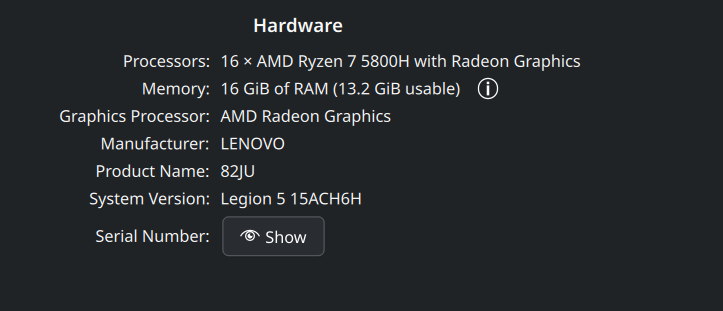
Correction: this is actually a KDE brightness feature that fakes real brightness change by lowering RGB values on the software level.

Okay small update: because this is a laptop with both a integrated and discrete GPU I can use the integrated graphics card for now by going into my bios and switching from Discrete to Dynamic. It seems it’s now only using the integrated GPU for the graphics, which is better a temporary fix to get my 165hz and hardware brightness control back : )

As seen in About my System the NVIDIA GPU within my laptop is just not used right now. I hope to get it fixed but this will work for now.

I have it fully working now!

After doing a full reinstall of Almalinux 10 I actually found that I did something very simple wrong:

I had to follow these instructions:

And not this one as it seems to be unfit for Almalinux 10 (writing as of Dec 2025)
Exact commands I executed, chronological order

Download the distribution-gpg-keys package

Downloading and verifying the RPM Fusion GPG keys ensures that the packages you install are from RPM Fusion and not altered (by accident or by malicious intent).

sudo dnf install distribution-gpg-keys 

Import the RPM Fusion keys with rpmkeys

# RPM Fusion (free packages)
sudo rpmkeys --import /usr/share/distribution-gpg-keys/rpmfusion/RPM-GPG-KEY-rpmfusion-free-el-$(rpm -E %rhel)
# RPM Fusion (nonfree packages)
sudo rpmkeys --import /usr/share/distribution-gpg-keys/rpmfusion/RPM-GPG-KEY-rpmfusion-nonfree-el-$(rpm -E %rhel)

Install RPM Fusion

sudo dnf --setopt=localpkg_gpgcheck=1 install  https://mirrors.rpmfusion.org/free/el/rpmfusion-free-release-$(rpm -E %rhel).noarch.rpm https://mirrors.rpmfusion.org/nonfree/el/rpmfusion-nonfree-release-$(rpm -E %rhel).noarch.rpm

And from the after-installation guide:

Update the repositories:

sudo dnf update

Installing the necessary (nvidia) packages

sudo dnf install akmod-nvidia

Reboot your system to load the new NVIDIA kernel module and complete the installation. You should now have the NVIDIA drivers successfully installed on your AlmaLinux system.

Conclusion: It’s kind of my bad

And I’m realizing I have much to learn. Apparently the NVIDIA driver compiles against the kernel during the boot screen. I just needed to wait (around 2 minutes) and then it was done. I kinda wish there was progress bar, or heads-up, like: “yo wait a minute, a driver is going to compile when you restart”, that kind of thing. After a full afternoon of trying different things it’s something I had to learn the hard way. For reference, when I installed nvidia drivers on Linux Mint Debian Edition, compiling against the kernel happened during runtime, and I could see the it happen in the terminal. I thought it would be also like that over here, but now I know LMDE is just special that way.

@LightningToaster

This actually works on AlmaLinux 9.7 and should also work on 10.1.

I was encountering an issue where firmware was unable to load early on boot;

nvidia 0000:2d:00.0: Direct firmware load for nvidia/590.44.01/gsp_ga10x.bin failed with error -2
[drm:nv_drm_dev_load [nvidia_drm]]ERROR[nvidia-drm] [GPU ID 0x00002d00] Failed to allocate NvKmsKapiDevice

This was resolved by adding the firmware to the initramfs through dracut.

# cat /etc/dracut.conf.d/nvidia-gsp.conf
install_items+=" /lib/firmware/nvidia/590.44.01/gsp_ga10x.bin "

I likely encountered this due to LUKS encrypted partition.

1 Like

Thankyou, this is really nice to know.
I followed your advice. Now using the fix you proposed, the first-found instructions: NVIDIA Drivers | AlmaLinux Wiki work flawlessly. I don’t have to compile it against the kernel anymore : D

I was still using the other packages, and wanted to switch to the nvidia-open packages, so I did that. Here are the exact steps I executed to go from akmod-nvidia driver to nvidia-open driver install method, in chronological order:

  • sudo nano /etc/dracut.conf.d/nvidia-gsp.conf.
    Copy install_items+=" /lib/firmware/nvidia/590.44.01/gsp_ga10x.bin " to clipboard.
    Ctrl + Shift + V to paste in nvidia-gsp.conf
    Ctrl + O (Save), Enter (Confirm), Ctrl + X (Quit)
  • sudo dnf remove akmod-nvidia to get rid of previous nvidia packages.
  • reboot for good measure (don’t know if necessary here).
  • sudo dnf install nvidia-open --allowerasing to install nvidia-open packages and remove anything that conflicts.
  • reboot

My lenovo laptop NVIDIA GeForce RTX GPU is once again smooth sailing : )

If you haven’t messed up before like me (starting clean) :down_arrow:

If you encounter this issue:

Do:

  • sudo nano /etc/dracut.conf.d/nvidia-gsp.conf.
    Copy install_items+=" /lib/firmware/nvidia/590.44.01/gsp_ga10x.bin " to clipboard.
    Ctrl + Shift + V to paste in nvidia-gsp.conf
    Ctrl + O (Save), Enter (Confirm), Ctrl + X (Quit)

Then:

  • sudo dnf install nvidia-open for a more complete install or sudo dnf install nvidia-open-kmod nvidia-driver for a minimal install (least bloat, “just works”).

Then either reboot or modprobe to activate the driver:

At this point you can reboot to load the kernel module, or, if you’re already running the latest kernel, sudo modprobe nvidia_drm will load the module.

Source:

Remember to update that additional config for dracut whenever the version of NVidia driver does change.


NVidia graphics cards, starting with the Turing generation, do have GSP (GPU System Processor) to offload some tasks from CPU. On bootup the driver loads firmware that runs on the GSP. The open NVidia kernel module requires the GSP (and cannot support pre-Turing GPUs). The proprietary kernel module works without GSP.

1 Like