Hello,
echo $XDG_CURRENT_DESKTOP
echo $XDG_SESSION_TYPE
echo $DESKTOP_SESSION
GNOME
x11
gnome-xorg
other specs:
static hostname: (unset)
Transient hostname: localhost
Icon name: computer-desktop
Chassis: desktop 
Machine ID: 6d46b9bfb5864b32b1e27c7743419813
Boot ID: 75f31f0c60064aff90e87dc1a896cb42
Operating System: AlmaLinux 9.6 (Sage Margay)
CPE OS Name: cpe:/o:almalinux:almalinux:9::baseos
Kernel: Linux 5.14.0-570.24.1.el9_6.x86_64
Architecture: x86-64
Hardware Vendor: O.E.M
Hardware Model: RB-P118G
Firmware Version: V1.5
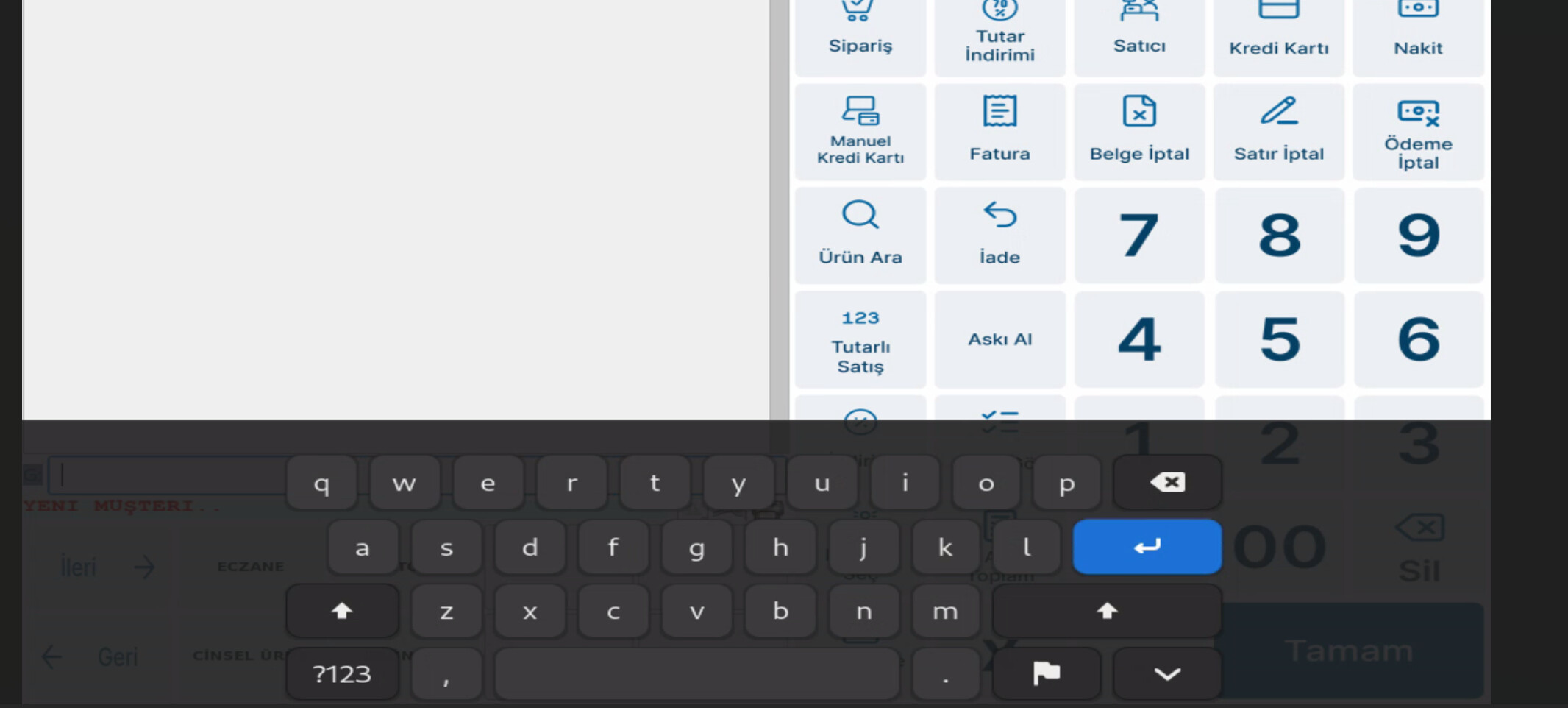
I want to disable screen keyboard, i m doing pos software on this OS but in wayland i have trouble with wmctrl to move some mozilla pages to second display(customer display), another problem is with using nomachine its crashing all the time with wayland, so i passed to x11 but now there is screen keyboard when i click any buttons on POS application , and i cant disable it also with x11 when i click buttons on POS app, it response very slow . I need a help about this subject.
BR,
